Know where every dollar went
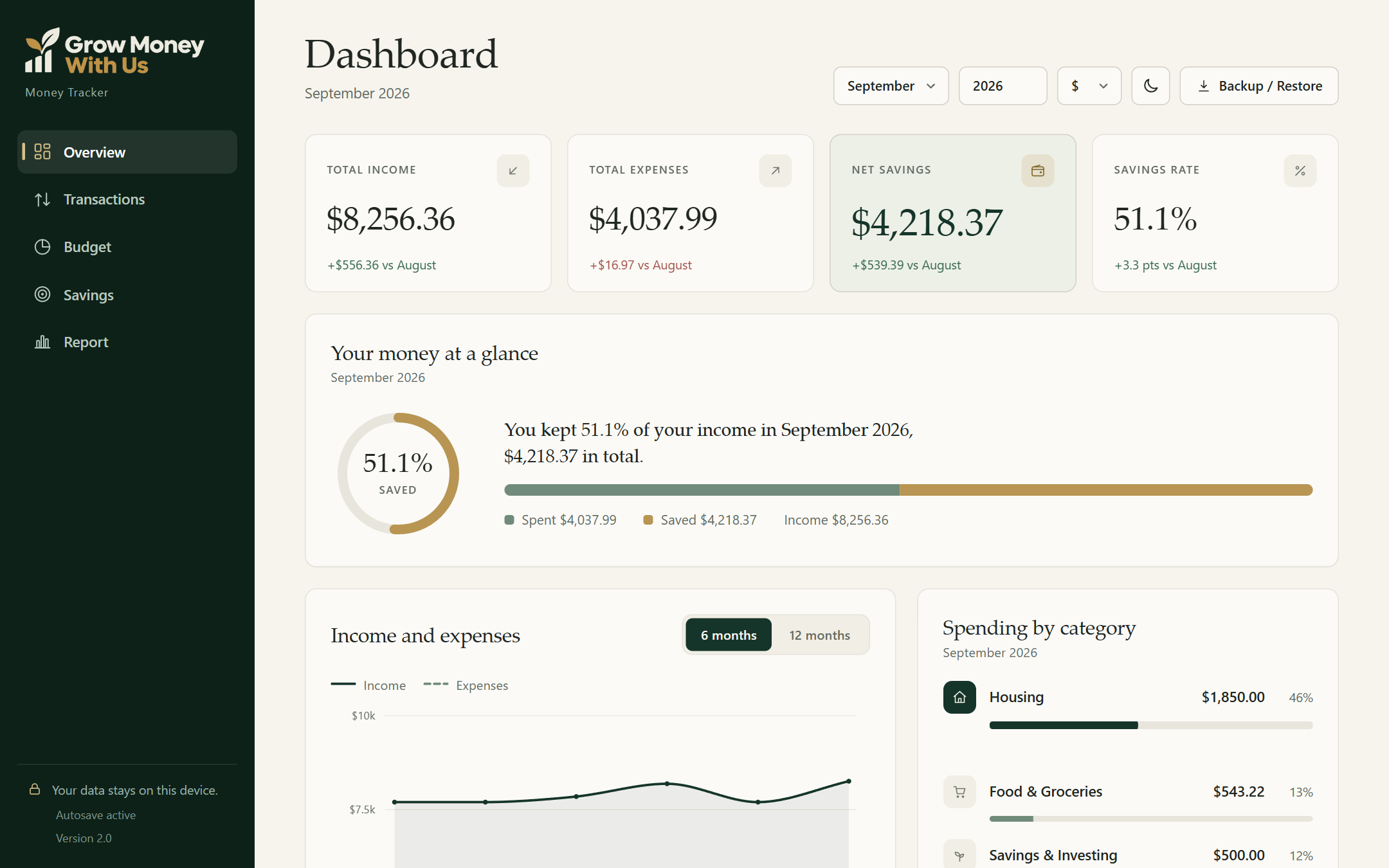
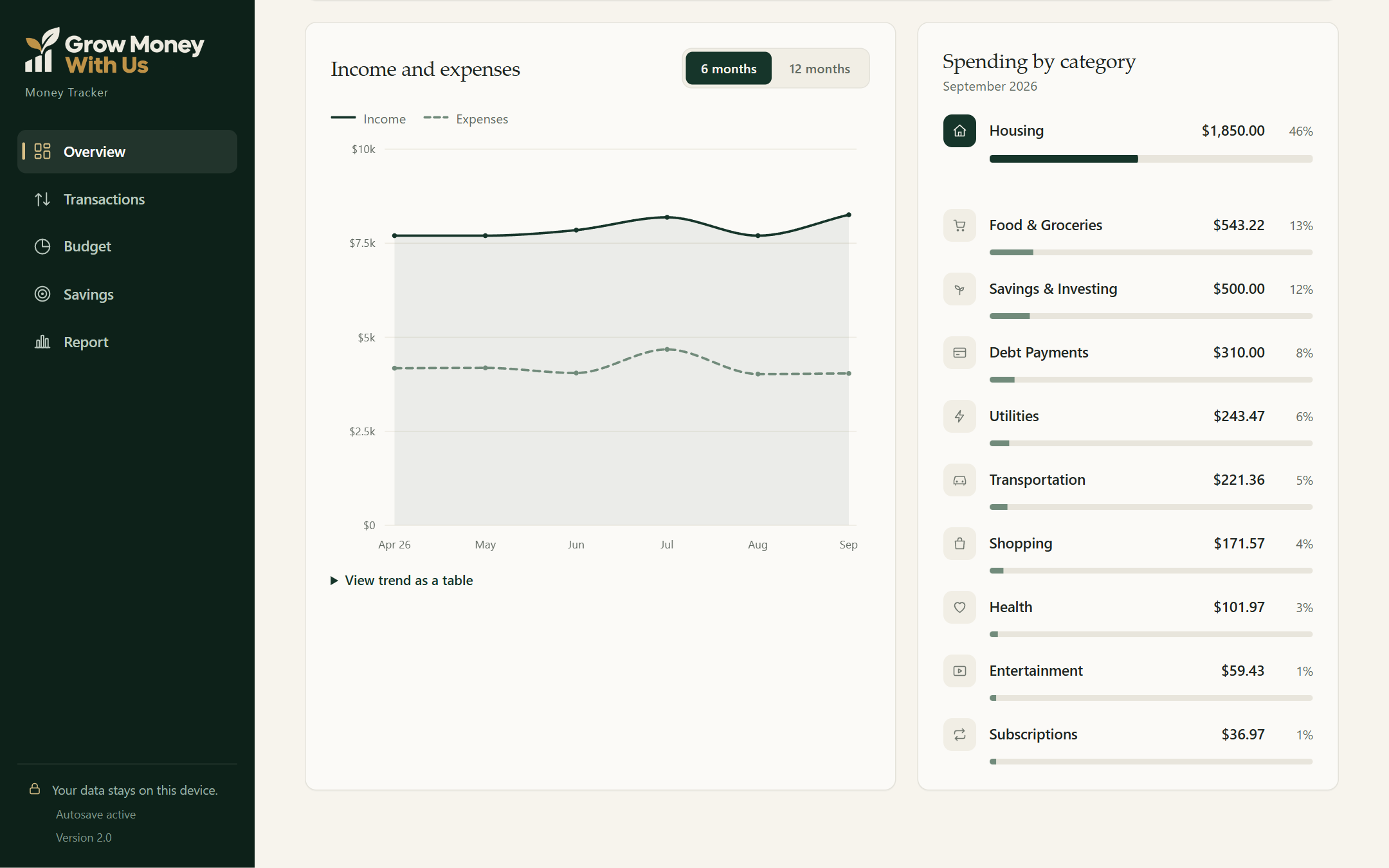
See your spending split by category every month. The small leaks, like takeout and forgotten subscriptions, become obvious.
The Money Tracker
It's one file that opens in your browser. No sign up, no app store, no monthly fee. Add what you spend, and your dashboard, budgets and savings goals update themselves.
Your data never leaves your device
Works wherever you manage your money
Take a look inside
Real screens from The Money Tracker. Tap any image to see it full size.
Before and after
Before
After
I’ve been using this myself to track my spending, and seeing everything in one place made it much easier to understand where my money was going.
 YacineCreator
What you gain
The tracker doesn't just store numbers. It answers the questions that actually matter to you.
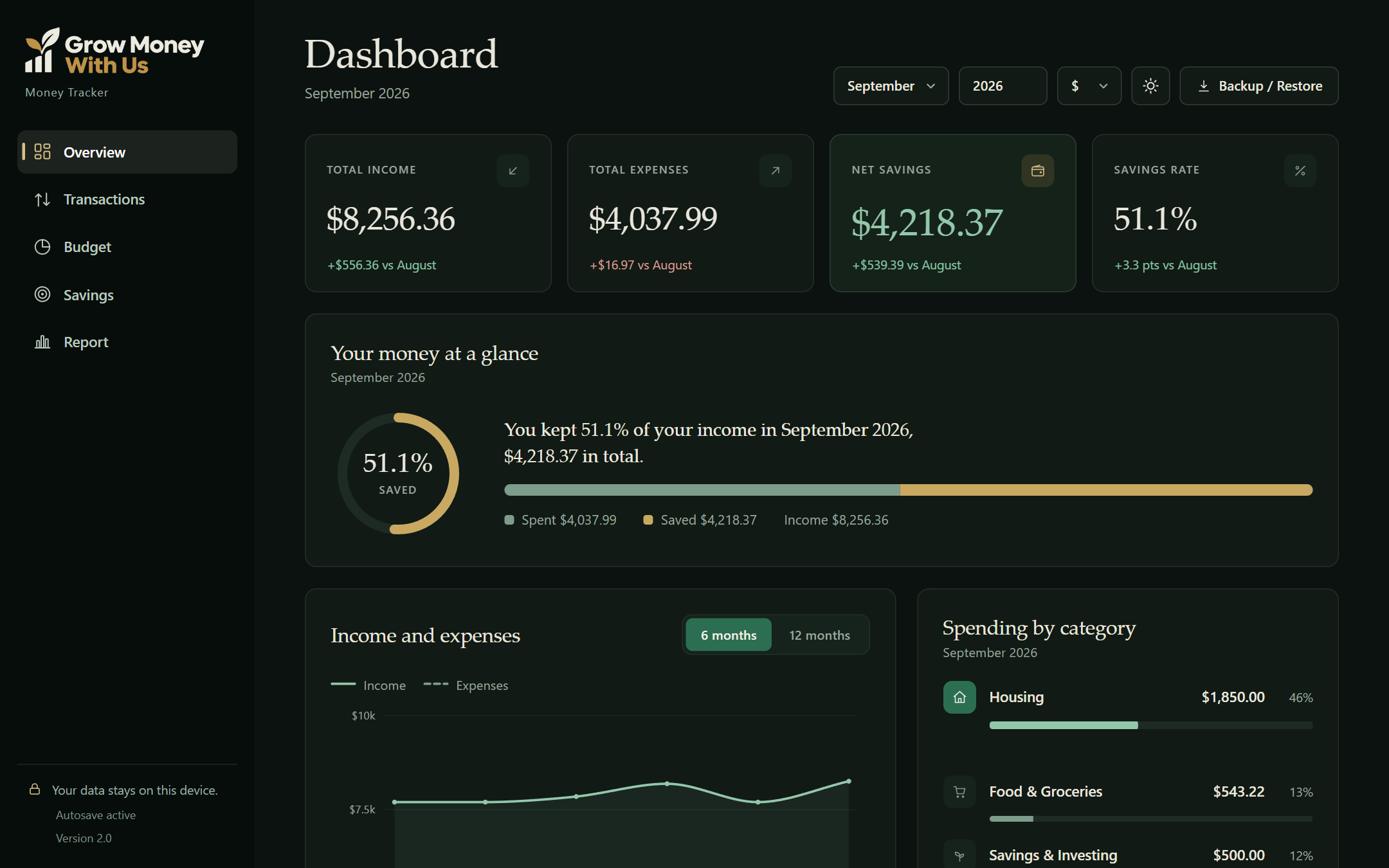
See your spending split by category every month. The small leaks, like takeout and forgotten subscriptions, become obvious.
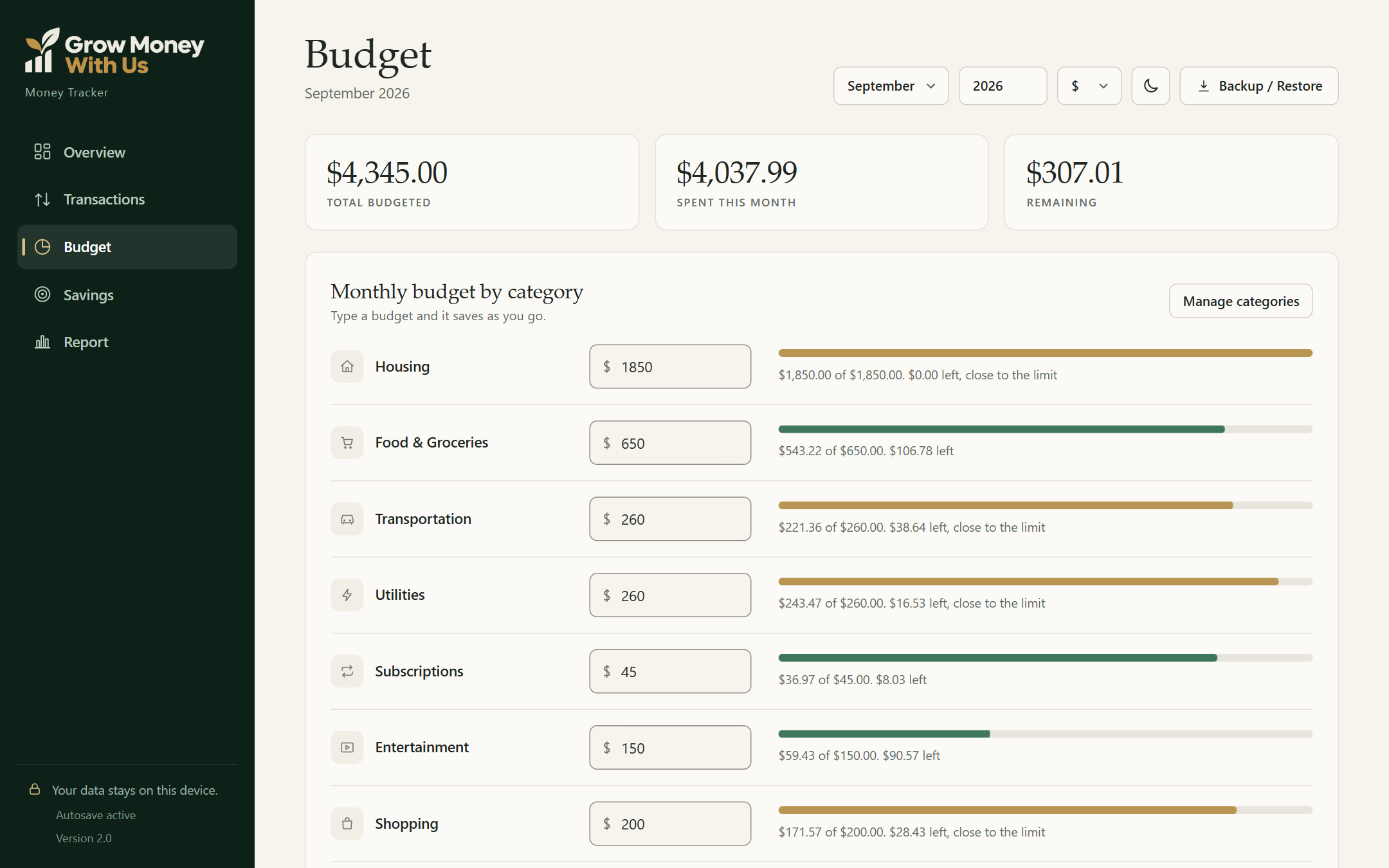
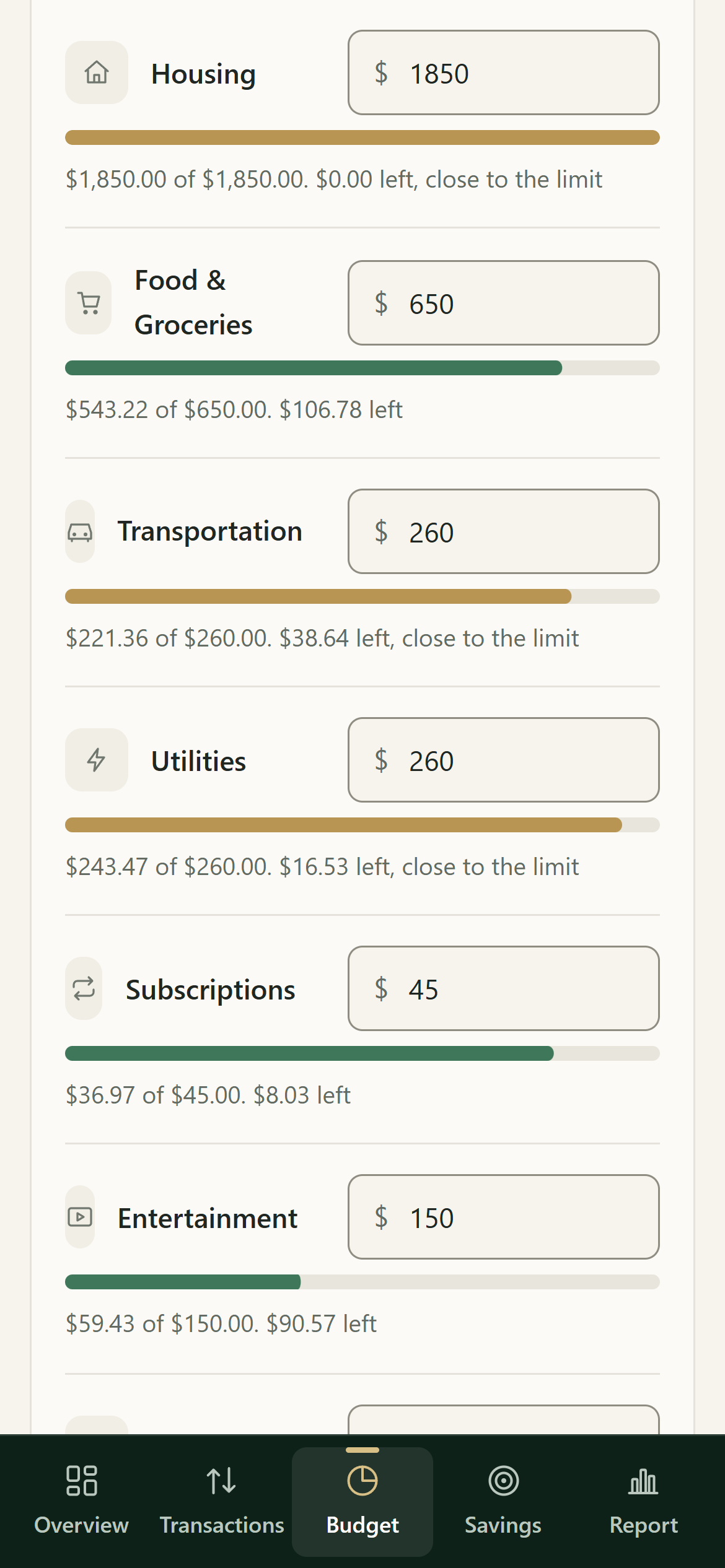
Budget bars fill up as you spend and warn you when you're close to the limit, while there's still time to adjust.
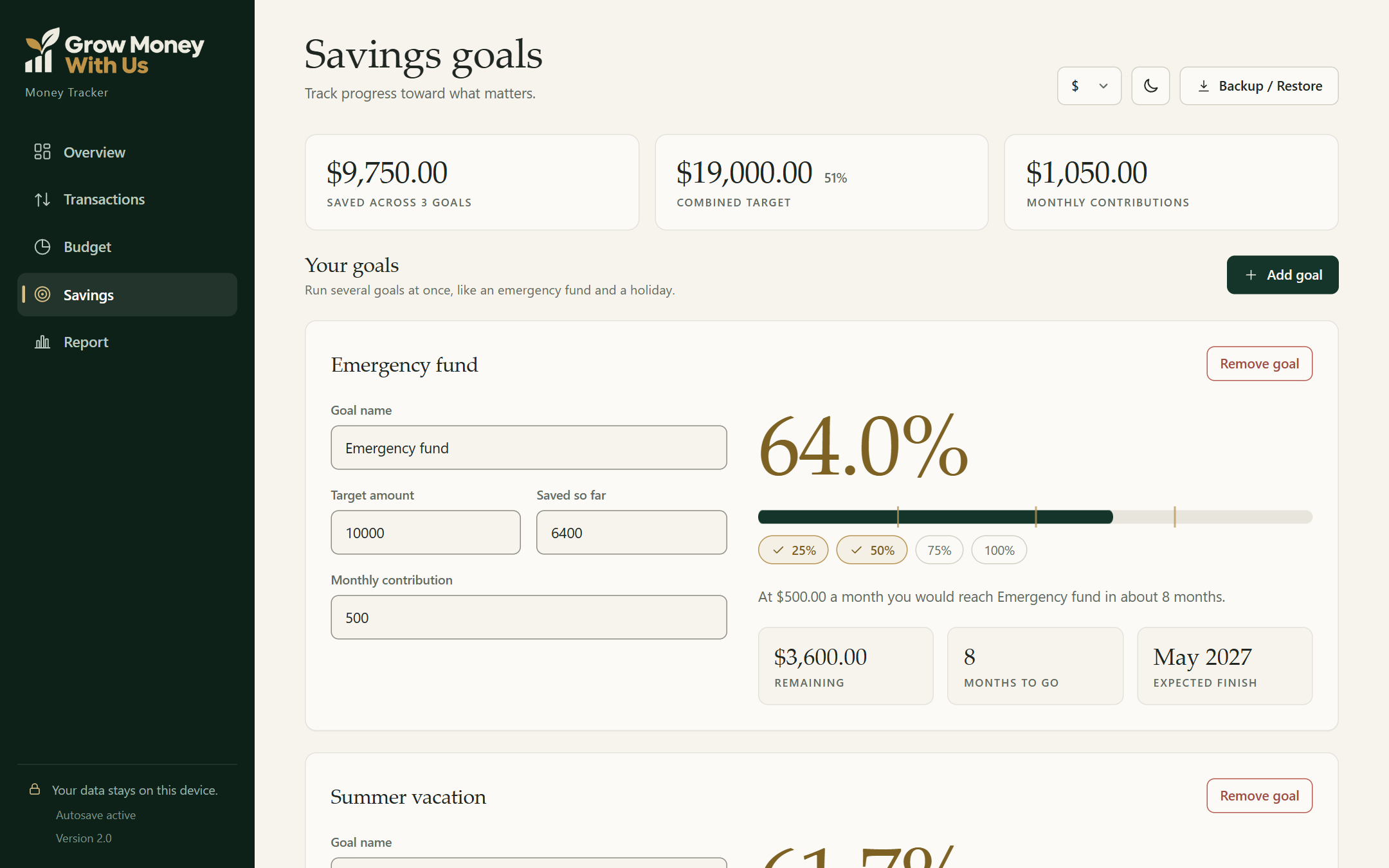
Set a target and a monthly amount. The tracker tells you how many months to go and the month you'll get there.
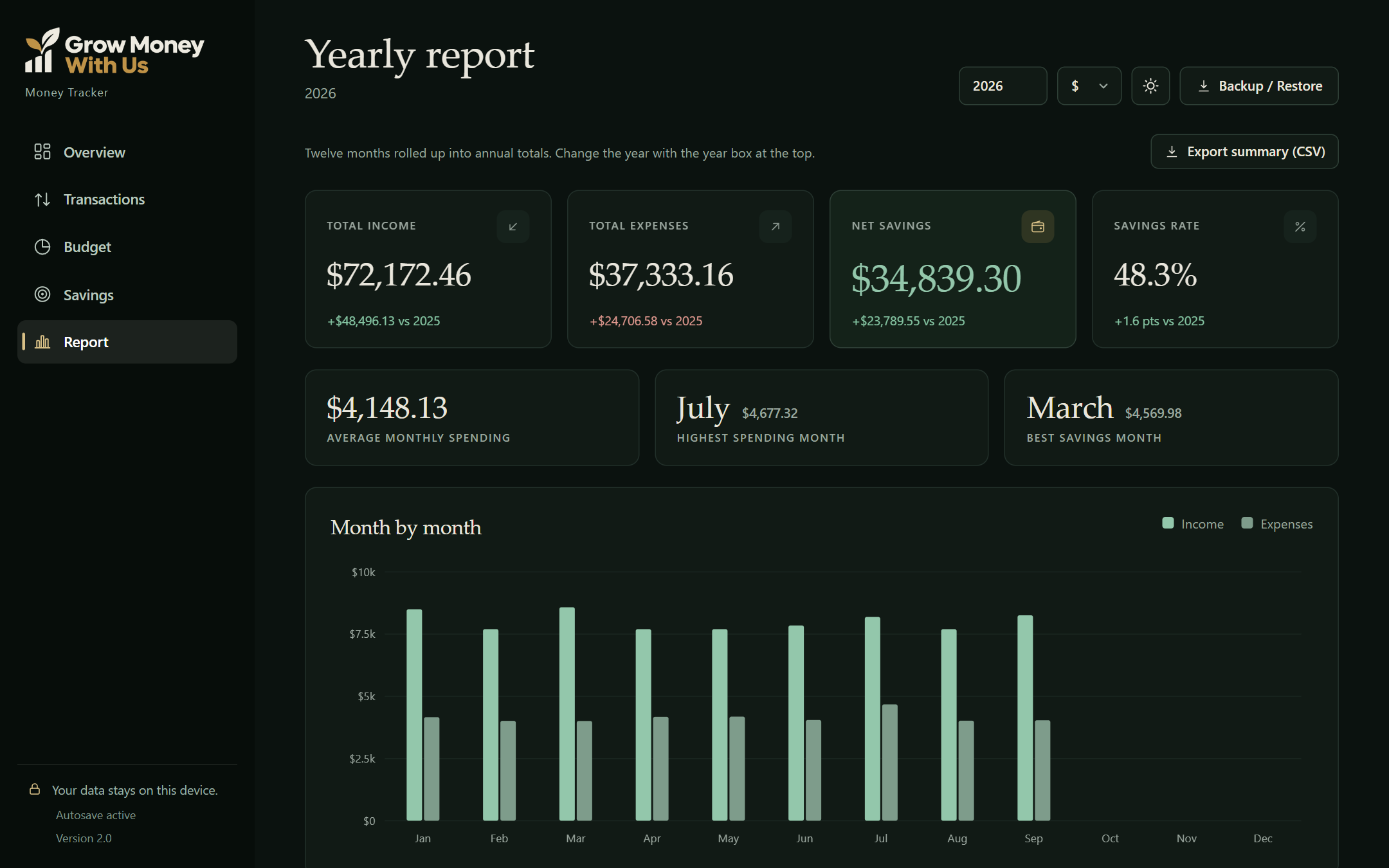
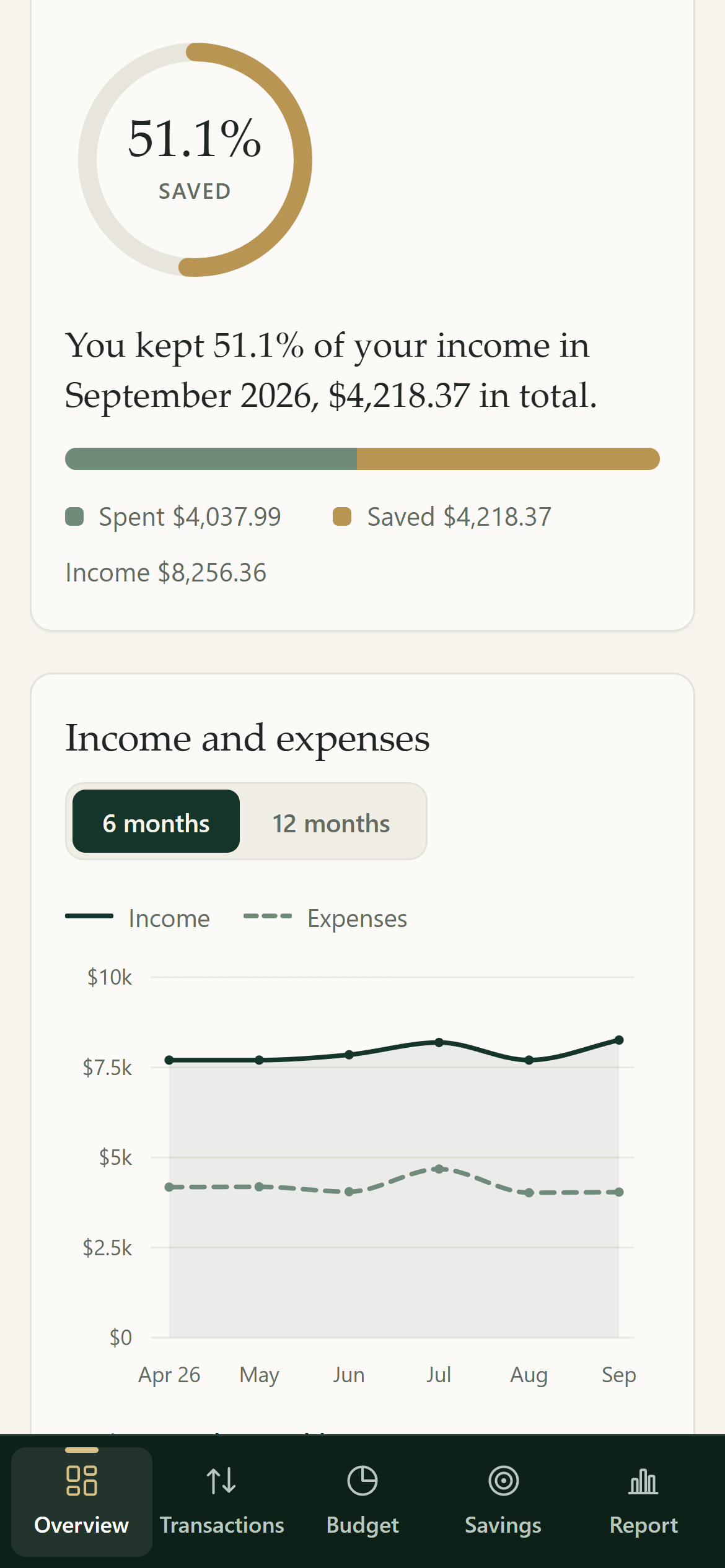
Compare this month to last month, and this year to last year. Watch your savings rate climb as your habits change.
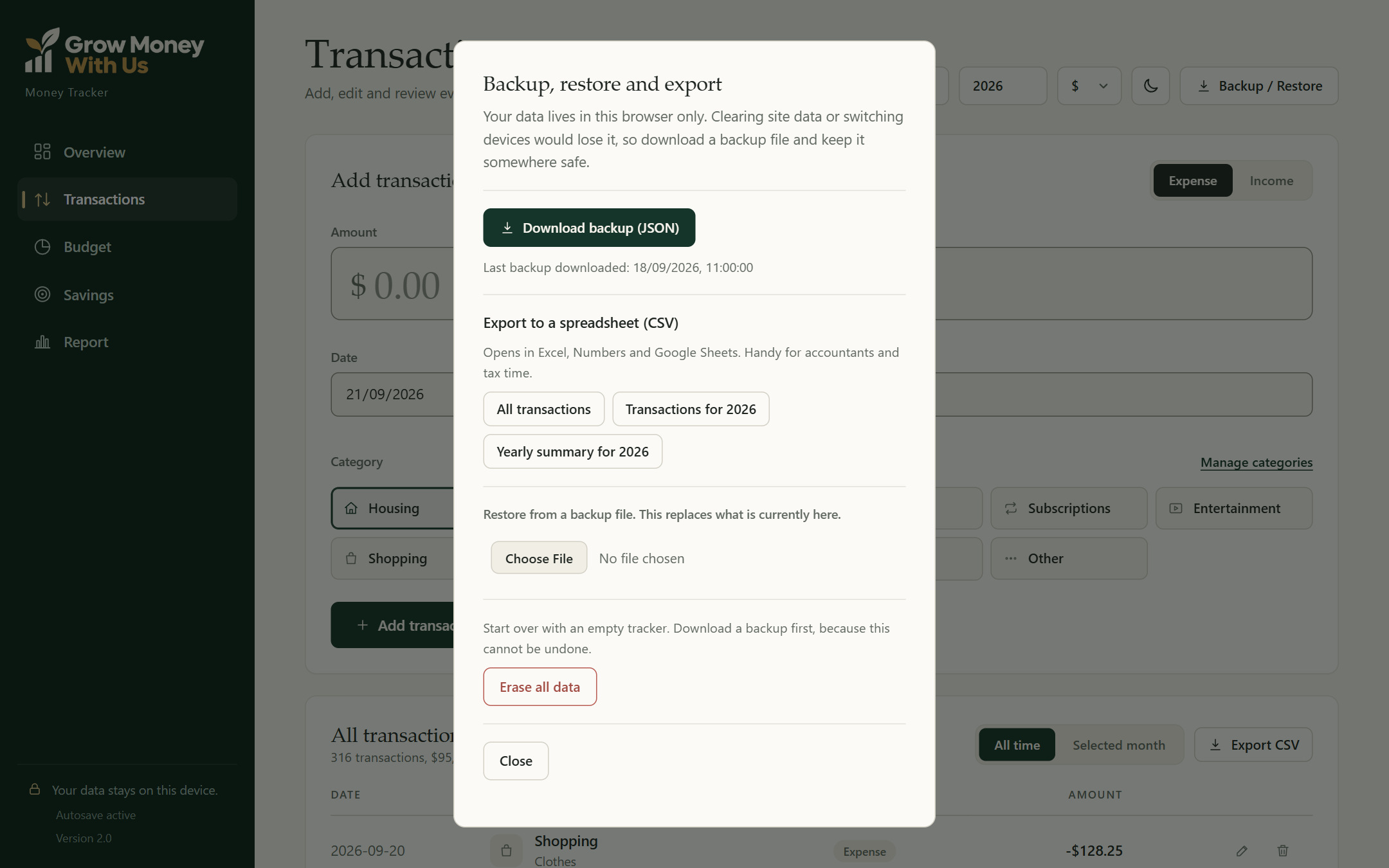
Export your transactions or a yearly summary to a spreadsheet file your accountant can open in Excel, Numbers or Google Sheets.
No bank connections and no company holding your financial history. Your numbers stay on your device.
Everything in the Money Tracker
No formulas to write and nothing to set up. Open the file and start typing.
Your month at a glance: what came in, what went out, what you kept and your savings rate. Every number shows how it compares to last month, so you know right away if you're doing better.
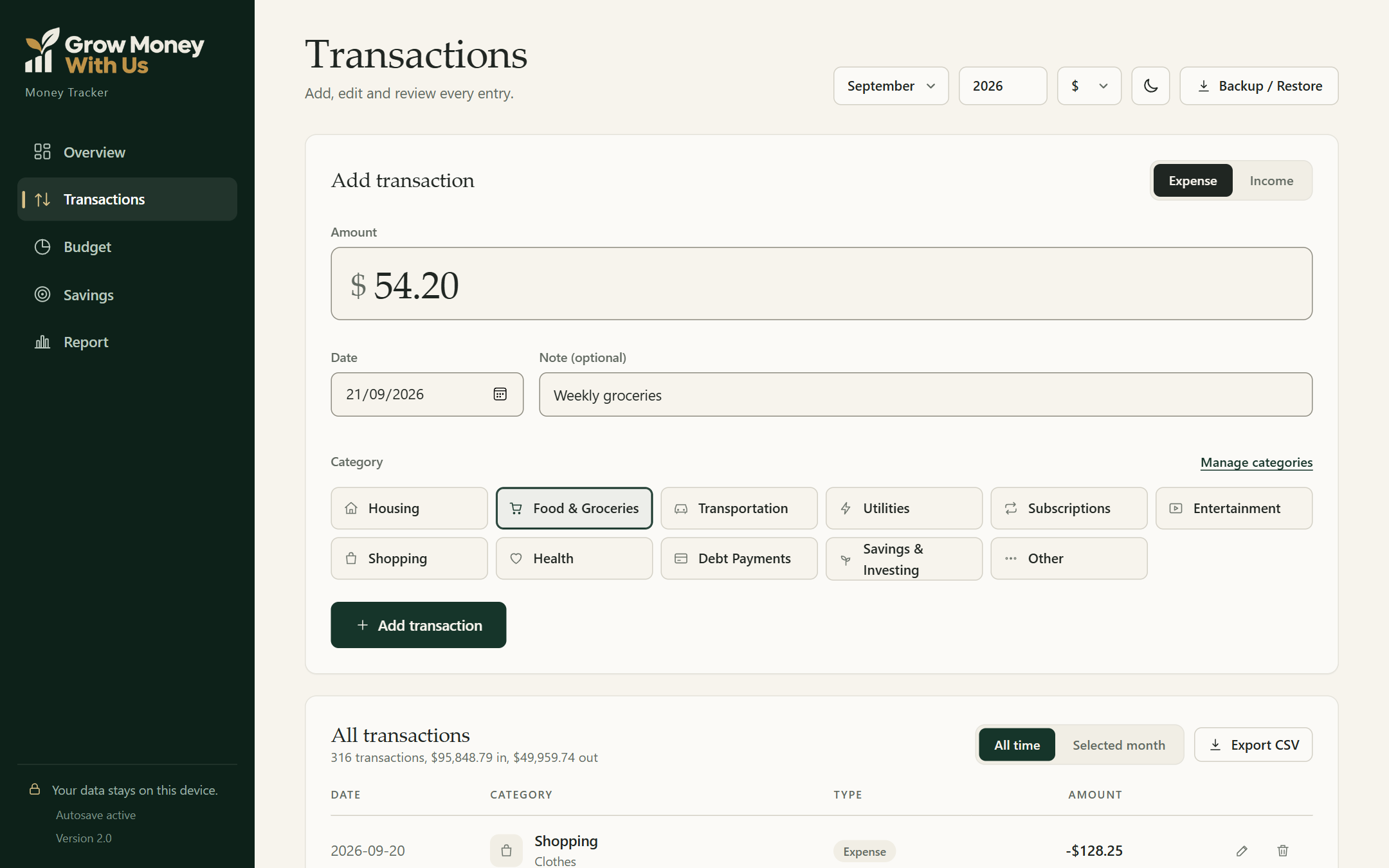
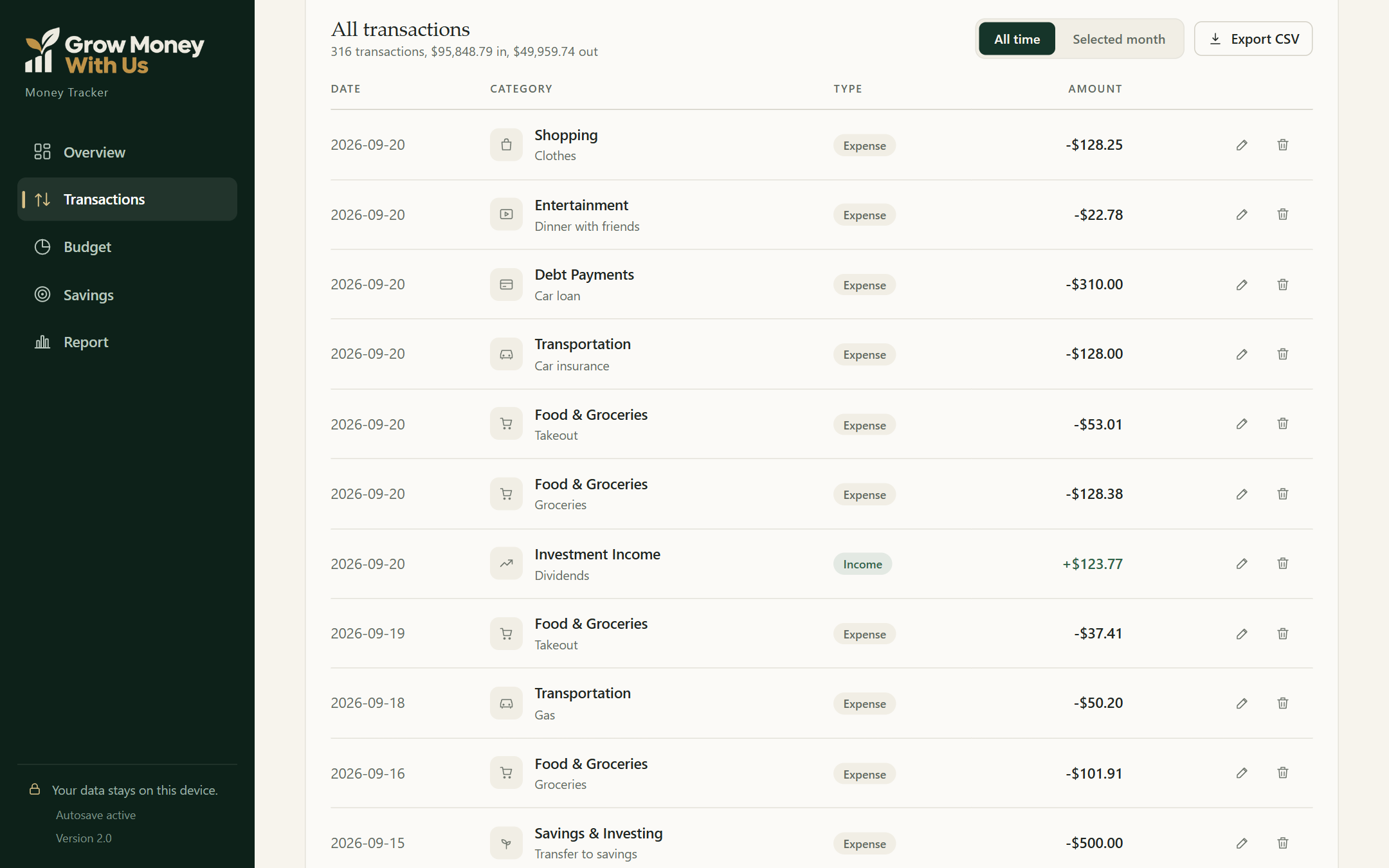
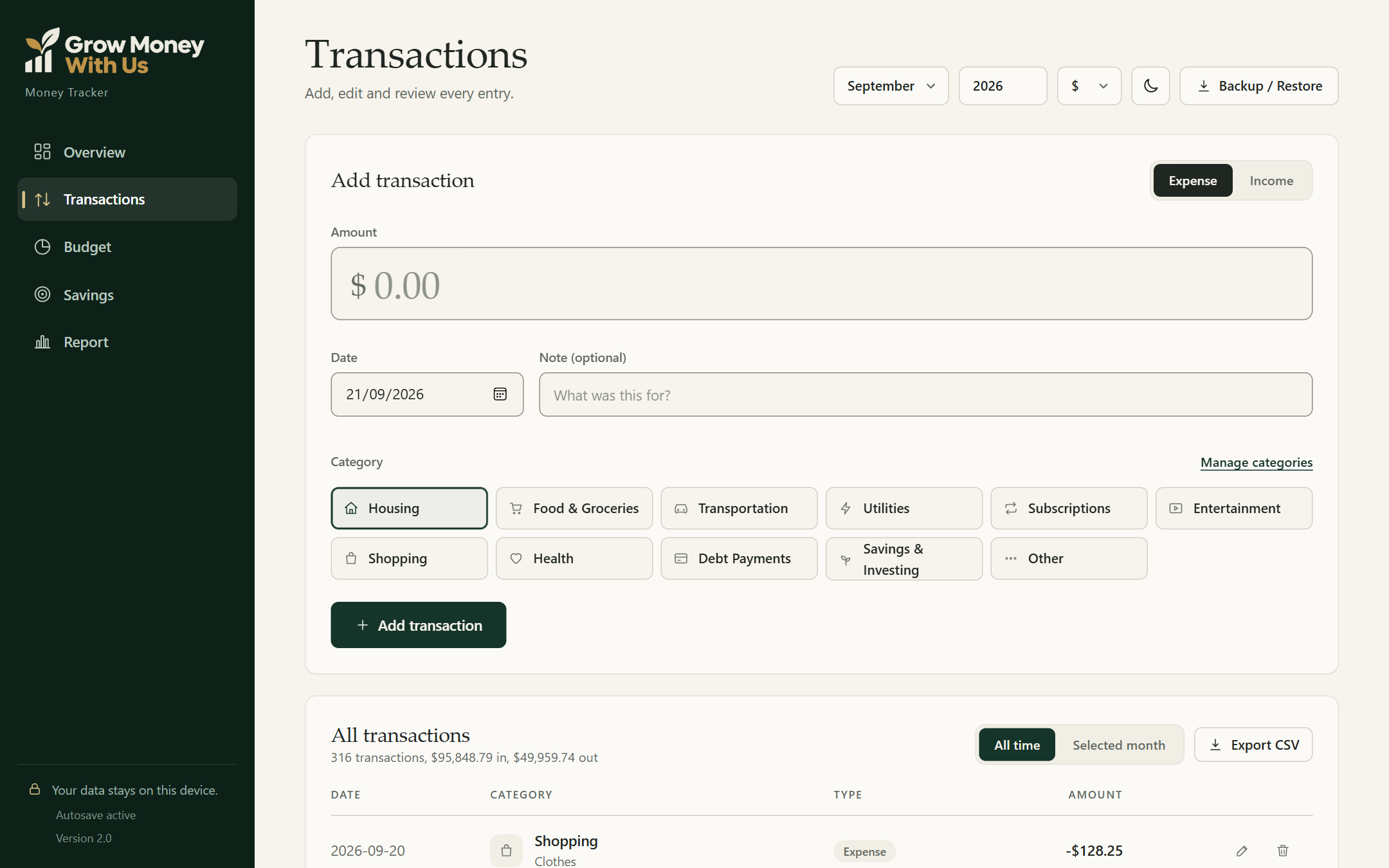
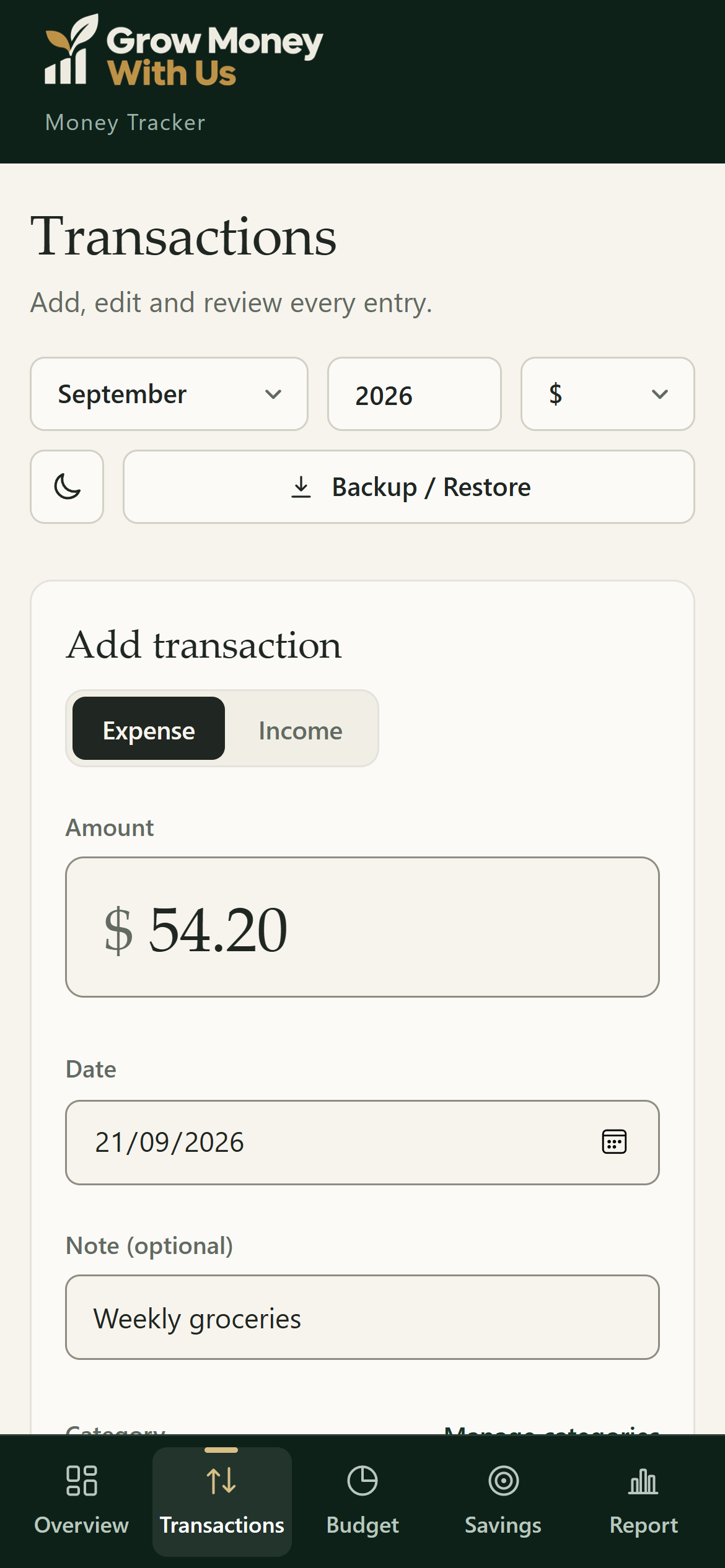
Add income or spending in a few seconds: type the amount, pick a category, add an optional note. Edit or delete anything later, and see all-time or monthly totals at the top of the list.
Type a monthly limit next to each category and it saves as you go. Progress bars show what you've spent, what's left, and turn gold when you're getting close to the limit.
Run several goals at once, like an emergency fund, a vacation and a car. Each goal shows your percentage, milestone badges, the months to go and the month you're expected to finish.
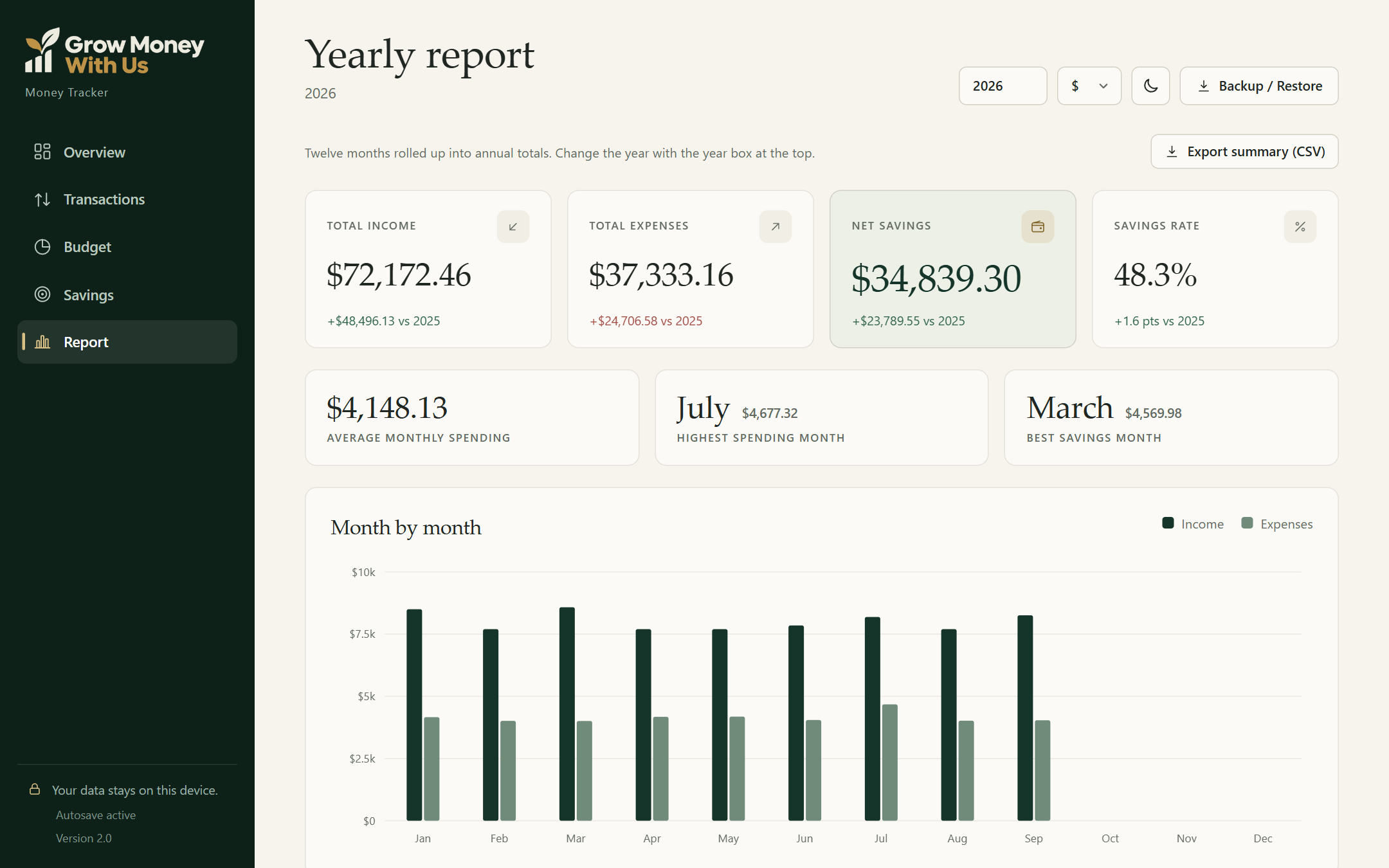
Twelve months rolled up into annual totals, compared with the year before. See your average monthly spending, your highest spending month and your best savings month.
Export all transactions, one year, or a yearly summary to a CSV file that opens in Excel, Numbers and Google Sheets. Download a backup anytime and restore it on another device.
Ready to see where your money goes?
$24.99 once. No subscription.
Who is this for?
How it works
No setup wizard and no learning curve. Here's the whole process.
GrowMoneyWithUs-MoneyTracker.html
Double-click to open
After checkout you get a ZIP. Unzip it, then double-click the tracker file. It opens in your browser. That's the whole install.
Type the amount, pick a category, press Add. It takes a few seconds per entry. Make it a habit at the end of each day.
Give each category a monthly limit and add the goals you're saving for. Everything saves automatically as you type.
Your dashboard, charts, budgets and yearly report update the moment you add something. Just check in and adjust.
On your phone too
The tracker adapts to small screens with a bottom menu that's easy to tap. Use it on the device you carry every day, and move your data between devices with backup and restore.
Why it's different
Your numbers are saved in your own browser on your own device. No accounts, no servers, no bank logins.
It's a single file on your computer. It opens without internet today and will keep opening years from now.
Buy it once for $24.99 and it's yours to keep. No monthly charges, no renewals, no surprise price hikes.
| The Money Tracker | Subscription budgeting apps | DIY spreadsheet | |
|---|---|---|---|
| Price | $24.99 once | Monthly or yearly fee | Free, plus your time |
| Account or bank login | Not needed | Usually required | Not needed |
| Works offline | Yes | Usually not | Depends |
| Ready-made charts & reports | Yes | Yes | Build them yourself |
| Formulas to maintain | None | None | Yes |
| Where your data lives | Your device | Company servers | Your device or cloud |
Why I built this
I got tired of budgeting apps that wanted a monthly fee and my bank login just to show me my own numbers. I wanted something private that I could pay for once and keep.
So I built the tool I wanted: one file, no account, and nothing leaving your device. I hope it helps you finally see where your money goes.
Pricing
Everything on this page is included in a single download. No subscription and no upsells inside the app.
The Money Tracker
$24.99
One-time payment. Instant download.
About $2 a month in your first year, then $0 forever.
Everything included
Opens in any modern browser on Windows, Mac, phone or tablet.
Free bonus
A printable PDF to help you start strong in your first month.
Print it or fill it in on screen. Included with every purchase.
The math
Many budgeting apps charge a monthly subscription. Here's how a one-time $24.99 compares with an example $12/month plan over time.
Example for illustration. Subscription prices vary by app.
What happens after I buy?
Complete checkout.
Instantly receive your ZIP file.
Unzip it and open the HTML file.
Start adding your transactions.
One-time payment. Instant download.
Questions
No. It's a ready-to-use app in a single HTML file. You double-click it, it opens in your browser, and you start adding transactions. There are no formulas or cells to manage.
Yes. Everything you enter is stored in your browser on your device. Nothing is uploaded, and there's no account to create. Use the built-in backup to keep a copy somewhere safe.
Yes. The tracker runs in any modern browser and has a phone-friendly layout with a bottom menu. Your data is saved per device and per browser, so pick the one you'll use most. You can move data between devices with backup and restore.
No, and that's on purpose. You add transactions yourself, which takes a few seconds each. It keeps your bank login private, and writing down each purchase makes you more aware of your spending.
You get instant access to a ZIP download. Inside is the tracker file, the user guide and the Money Reset Kit. Unzip it, move the folder somewhere you'll keep it (like Documents) and double-click the tracker file.
No. After downloading, the tracker works completely offline.
Your entries live in your browser, so clearing site data would remove them. That's why backup is built in: one click downloads a file with everything, and one click restores it.
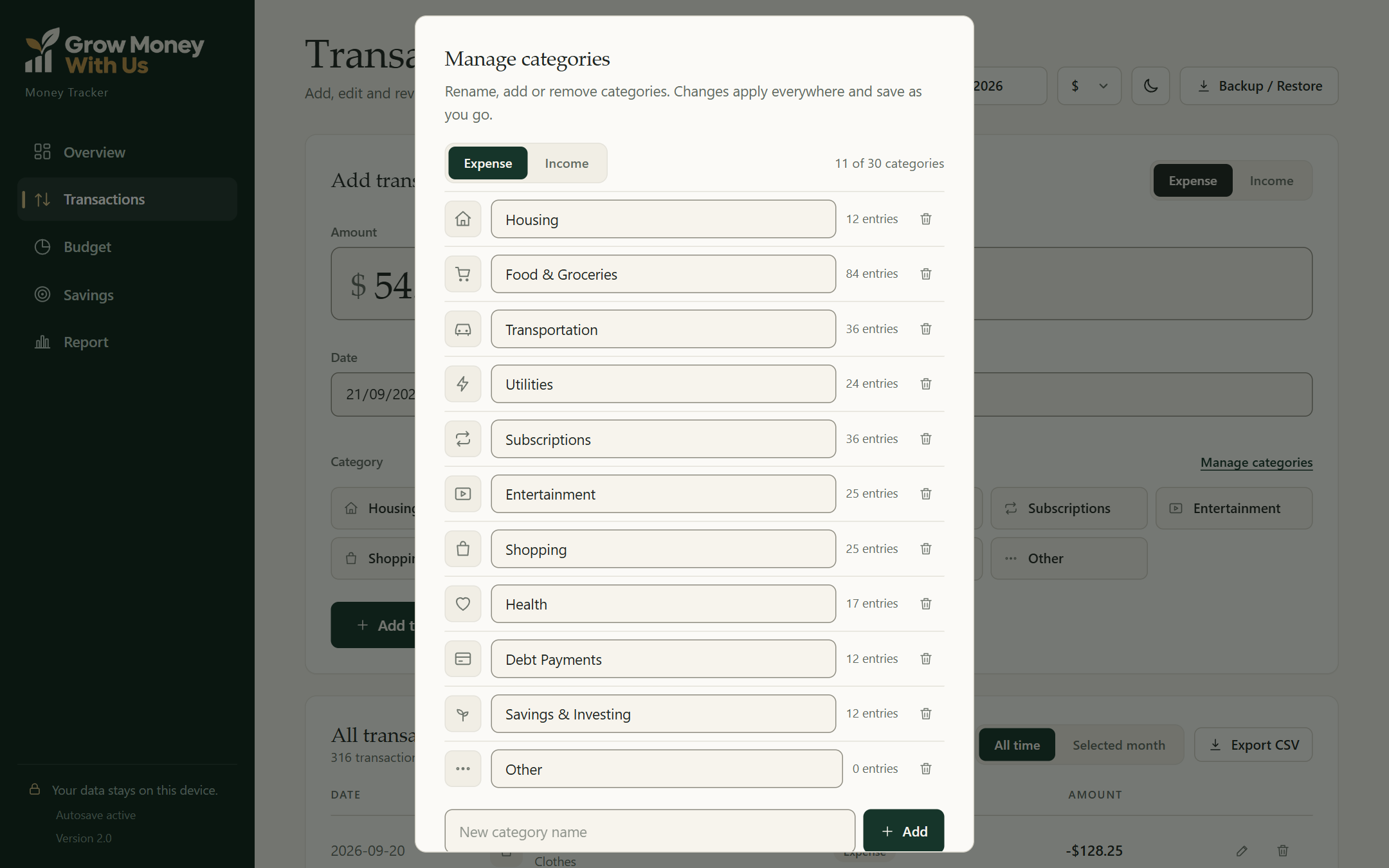
Yes. Rename, add or remove categories and choose their icons. You can pick from 7 currencies: $, €, £, ¥, ₹, ₦ and R$.
Still wondering?
No ticket numbers, no chatbot, no "your request is important to us". This address goes to my inbox, and I read every message myself.
Already bought and something isn't working? Same address, and mention which browser you're using — it usually saves a round trip.
One file. No sign up. No monthly fee. Start tracking tonight.
Start Tracking My Money, $24.99Instant download • One-time payment • No subscription